What Is a Bidirectional Scan Tool? What to Know
How a bidirectional scan tool works, how active commands isolate faulty automotive parts without guesswork, and how it compares to a basic OBD2 code reader.

On this page
Top picks at a glance
As an Amazon Associate we earn from qualifying purchases.
- 1
 Autel Scanner MaxiCheck MX808S9.6/10View on Amazon
 - 2
 TOPDON AD900 Lite OBD2 Scanner9.6/10View on Amazon
 - 3
 XTOOL D7 Bidirectional Scan Tool9.6/10View on Amazon
 - 4
 TOPDON TopScan Lite OBD2 ScannerView on Amazon
 - 5
 TOPDON AD800BT 2 OBD2 ScannerView on Amazon
 - 6
 TOPDON ONE Bidirectional Scan ToolView on Amazon
 - 7
 THINKCAR Scanner THINKSCAN 662 OBD2 Scanner Diagnostic ToolView on Amazon
 - 8
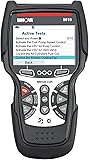 Innova 5610 OBD2 Bidirectional Scan ToolView on Amazon
 - 9
 XTOOL A30M Bidirectional Scan ToolView on Amazon
What is a bidirectional scan tool? A bidirectional scan tool is an automotive diagnostic device that can both request data from vehicle control modules and send direct functional commands back to them. While basic code readers only display trouble codes and sensor values, a bidirectional tool commands actuators, relays, pumps, and valves to operate on demand. This bidirectional communication lets you verify whether electrical circuits, mechanical actuators, or computer modules function properly without taking vehicle components apart.
More options to compare
 TOPDON TopScan Lite OBD2 ScannerCheck price on Amazon
 TOPDON AD800BT 2 OBD2 ScannerCheck price on Amazon
 TOPDON ONE Bidirectional Scan ToolCheck price on Amazon
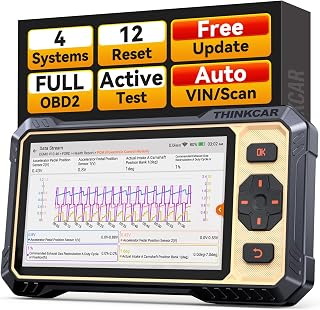 THINKCAR Scanner THINKSCAN 662 OBD2 Scanner Diagnostic ToolCheck price on Amazon
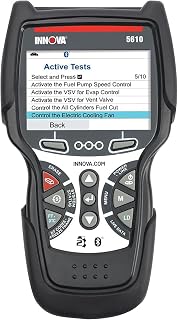 Innova 5610 OBD2 Bidirectional Scan ToolCheck price on Amazon
 XTOOL A30M Bidirectional Scan ToolCheck price on Amazon
GarageToolHQ earns a commission when you buy through links on our product pages, at no extra cost to you. Read our affiliate disclosure.
Below: how bidirectional control operates, how active commands isolate faults, a step-by-step diagnostic workflow, and key hardware considerations for home garages.
What is a bidirectional scan tool? How active control works
Modern vehicles rely on electronic control units (ECUs) to manage engine performance, transmission shifting, antilock braking, and body electronics. These computers monitor sensor inputs, such as coolant temperature, wheel speed, and throttle position, and drive actuators like fuel injectors, cooling fans, and solenoids.
Standard OBD2 code readers work in a single direction only: they read what the computer publishes. If a cooling fan never turns on, a basic reader can only display stored trouble codes or current temperature readings. It cannot determine whether the fan motor failed, the relay stuck open, the wiring broke, or the control module output circuit failed.
A bidirectional scan tool bridges this gap by sending operational commands directly to the ECU across the vehicle communication bus. Rather than waiting for specific driving conditions to trigger an actuator, you command the component from the scanner screen. The module energizes the circuit, closes the relay, or pulses the solenoid on command.
This active control eliminates guesswork. If a cooling fan spins when commanded, the motor, relay, power wiring, and module driver are all confirmed operational. Troubleshooting can then focus on input sensors, wiring to temperature sensors, or engine operating conditions. If the fan does not spin, you can check power and ground directly at the fan connector to locate the failure.
Diagnostic scan tool categories and what each level can do
| Tool Category | Communication Direction | Actuator Control | Typical Capabilities |
|---|---|---|---|
| Basic OBD2 Code Reader | Read-only (vehicle to scanner) | None | Reads and clears generic emission trouble codes; displays freeze frame and basic live sensor data. |
| DIY All-System Scanner | Read-only across all modules | None | Scans powertrain, body, chassis, ABS, and airbag modules; reads and clears manufacturer-specific codes and monitors live data streams. |
| Bidirectional Scan Tool | Bidirectional (both directions) | Direct component actuation on supported modules | Commands actuators, cycles relays, actuates solenoids, bleeds ABS valves, and performs calibrations and maintenance relearns. |
The difference between these diagnostic levels comes down to whether the device communicates back to the vehicle. While basic code readers and all-system scanners provide valuable monitoring, they remain passive diagnostic tools. A bidirectional tool transforms troubleshooting by allowing the operator to command vehicle subsystems directly, verifying physical operation without manual bench wiring or component removal.
How to use a bidirectional scan tool: diagnostic workflow
- Verify vehicle compatibility and protocol support. Confirm that the scan tool supports your specific vehicle make, model, and year, along with modern bus protocols like CAN-FD or secure gateway access.
- Connect to the diagnostic port. Plug the scan tool cable or wireless adapter into the diagnostic port under the dashboard. Most actuation checks are performed with the ignition on and the engine off (KOEO), though certain functional routines specify a running engine.
- Establish communication and scan modules. Let the scanner identify the vehicle automatically or select it manually. Run an all-system scan across powertrain, transmission, antilock braking, and body modules to document stored trouble codes.
- Review freeze frame data and live sensor values. Inspect operating parameters captured when trouble codes were recorded, and monitor live sensor streams to see what input data the control module is receiving.
- Select the appropriate active command menu. Navigate to the special functions or actuation submenu for the system under diagnosis. Verify that prerequisites listed on screen, such as battery voltage or coolant temperature ranges, are met.
- Command the target component to actuate. Trigger the component command from the scan tool screen. You can cycle cooling fans, pulse fuel injectors, toggle an air conditioning compressor clutch, actuate an EVAP purge solenoid, or command door locks and window regulators.
- Observe the physical component response. Verify whether the component responds mechanically or audibly to the command. Confirm whether a fan motor rotates, an electric fuel pump hums, an air conditioning clutch engages, or an ABS solenoid clicks.
- Isolate electrical and mechanical faults. If the component operates upon command, the output wiring, relays, and actuator are functional, directing troubleshooting toward input sensors and switches. If the component does not respond, probe the connector for power and ground to isolate a defective actuator from a damaged harness.
- Perform required calibration or relearn procedures. After installing a replacement part, such as a throttle body, steering angle sensor, or battery, use the scan tool adaptation menu to recalibrate the module to the new hardware.
- Clear trouble codes and verify normal operation. Clear stored fault codes from memory, cycle the ignition, and perform a functional verification drive to confirm the repair is successful and no trouble codes return.
Commanding vehicle actuators activates mechanical and electrical components immediately. Keep hands, clothing, hoses, and loose wires clear of cooling fans, auxiliary drive belts, throttle linkages, and wiper mechanisms before commanding them to run.
Use rated jack stands on solid ground, wear eye protection with power and air tools, keep fuel-burning equipment out of a closed garage, and follow the manual for every tool. Read our Safety Disclaimer.
Dedicated diagnostic tablets vs wireless Bluetooth scan tools
Bidirectional diagnostic tools come in distinct configurations: compact wireless Bluetooth adapters that pair with a smartphone, and dedicated handheld diagnostic tablets with integrated displays.
Wireless adapters plug directly into the diagnostic port and communicate over Bluetooth with an application running on your phone or tablet. They offer portability and take up minimal room in a mobile road box. Dedicated diagnostic tablets integrate the display, processor, operating system, and diagnostic electronics into a single self-contained housing. Power sources vary across models: some tablets operate on corded vehicle 12-volt power through the diagnostic connector, while others include internal rechargeable battery packs for standalone operation.
Manufacturers specify concrete hardware dimensions, capacities, and capabilities across these designs:
- Compact wireless adapters: The TOPDON TopScan Lite pocket adapter measures 2.75 inches long, 0.86 inches wide, and 1.57 inches high, and weighs 28 g. The VDIAGTOOL D200 adapter weighs 100 g, measures 3.5 inches long, 1.93 inches wide, and 1.02 inches high, and uses Bluetooth 5.2.
- Handheld diagnostic tablets: Dedicated handheld scanners combine the screen and processing hardware in one tool. The XTOOL IP500 features a 5.45-inch display. The MUCAR 632 and THINKCAR THINKSCAN 662 each use a 6.2-inch touchscreen with a 1024×600 resolution and a 1.8GHz processor with 32GB of storage. The THINKSCAN 662 includes a 4150mAh battery, while the TOPDON AD800BT 2 uses a 5.99-inch screen and 64G of storage with a weight of 660 g.
- Large professional workstations: The TOPDON AD900 Lite features an 8-inch screen, a 10,000mAh battery providing up to 12 hours of continuous operation, and weighs 4.8 pounds. The THINKCAR THINKSCAN 689BT offers an 8-inch screen with an 850 g weight, while the TOPDON ONE provides a 10.1-inch screen weighing 3.5 pounds. Both the TOPDON AD900 Lite and TOPDON AD800BT specify a wireless range of 33 feet (10 meters).
- Maintenance reset capacity: The TOPDON TopScan Lite and TOPDON AD900 Lite support 8 resets, the THINKCAR THINKSCAN 662 provides 12 maintenance functions, the MUCAR 632 lists 15 resets, the VDIAGTOOL D200 includes 26 resets, the TOPDON AD800BT and XTOOL IP500 provide 28 reset services, the THINKCAR THINKSCAN 689BT lists 34 services, and the TOPDON ONE provides 50 service functions.
If you are deciding between different diagnostic scanners for your home garage, explore our comprehensive guide to the best OBD2 scanner for DIY to compare entry-level code readers alongside advanced diagnostic platforms. When you are ready to step up to professional active command capabilities without commercial shop expense, see our top recommendations in the best bidirectional scan tool under 1000 guide.
Maintain stable battery voltage during bidirectional actuation
Many bidirectional actuation routines, such as cycling cooling fans, operating fuel pumps, or bleeding ABS hydraulic circuits, are carried out with the ignition on and the engine off. Under these conditions, the alternator does not charge the battery, while vehicle control modules, dashboard displays, daytime running lights, and cooling circuits draw continuous electrical current from the 12-volt battery.
When you command high-draw actuators, such as electric cooling fans, fuel pumps, secondary air injection pumps, or ABS hydraulic valves, system current demand increases significantly. If battery voltage drops below the operating threshold required by vehicle modules, microprocessors can reset, terminate active routines unexpectedly, log false low-voltage trouble codes, or disrupt data communication across the vehicle bus.
To prevent communication dropouts and protect sensitive vehicle electronics during prolonged diagnostic sessions or throttle relearns, connect a reliable battery charger maintainer set to supply clean support power. Before initiating active commands on an unfamiliar car, check static battery state with a digital automotive multimeter to ensure adequate voltage before commanding actuators.
Frequently Asked Questions
What does a bidirectional scan tool do?
A bidirectional scan tool sends digital commands directly to vehicle control modules to operate specific electrical and mechanical components. Instead of simply reporting sensor readings or diagnostic trouble codes, it drives actuators such as cooling fans, fuel pumps, EGR valves, throttle plates, and window motors on command, allowing you to confirm whether parts work properly.
What is the difference between an OBD2 code reader and a bidirectional scan tool?
An OBD2 code reader communicates in a single direction: it receives data from the vehicle to display trouble codes and live sensor readings. A bidirectional scan tool communicates in both directions: it reads diagnostic data and sends functional instructions back to vehicle computers to actuate components, perform system calibrations, and complete maintenance resets.
Can commanding actuators with a bidirectional scan tool damage a car?
When used according to the vehicle service manual, bidirectional commands do not harm vehicle systems. However, commanding components outside normal operating parameters, such as running an electric fuel pump dry, forcing an A/C compressor to engage without refrigerant, or ignoring moving fan blades, can cause mechanical stress or safety hazards. Always follow manufacturer operating instructions.
Do bidirectional scan tools require an annual subscription?
Subscription requirements depend on the manufacturer and model. Many diagnostic tools include lifetime free software updates via Wi-Fi with no recurring fees. Other scan tools provide free updates for an initial period, after which renewal fees apply to maintain updated vehicle coverage. Depending on the tool’s software licensing, expiring subscriptions may either pause advanced bidirectional features or allow existing functions to continue without new model updates.
What is a good bidirectional scan tool for a home garage?
A practical bidirectional scan tool for home mechanics balances module coverage, essential maintenance resets, intuitive software, and reasonable long-term update costs. Look for tools that support common tasks like ABS brake bleeding, electronic parking brake retraction, and oil service resets, alongside modern communication protocols such as CAN-FD and secure gateway authorization.
Does a bidirectional scan tool work on all vehicles?
Bidirectional functionality requires vehicle-specific software support. While standard OBD2 emission diagnostics are universal on compliant vehicles built from 1996 onward, bidirectional actuation menus and special service functions depend on manufacturer coverage, vehicle year, and installed equipment modules. Always check the tool’s vehicle compatibility list for your specific vehicle before buying.
Related: our guide to Bluetooth OBD2 scanners, our review of OBD2 scanners under 200, our guide to OBD2 scanners under 100, and our diagnostics and electrical hub.