1080p vs 1440p Dash Cam: Which One Should You Buy?
A 1080p vs 1440p dash cam comparison for a home garage: how each resolution records, what the extra detail covers, and which side fits each driver.

On this page
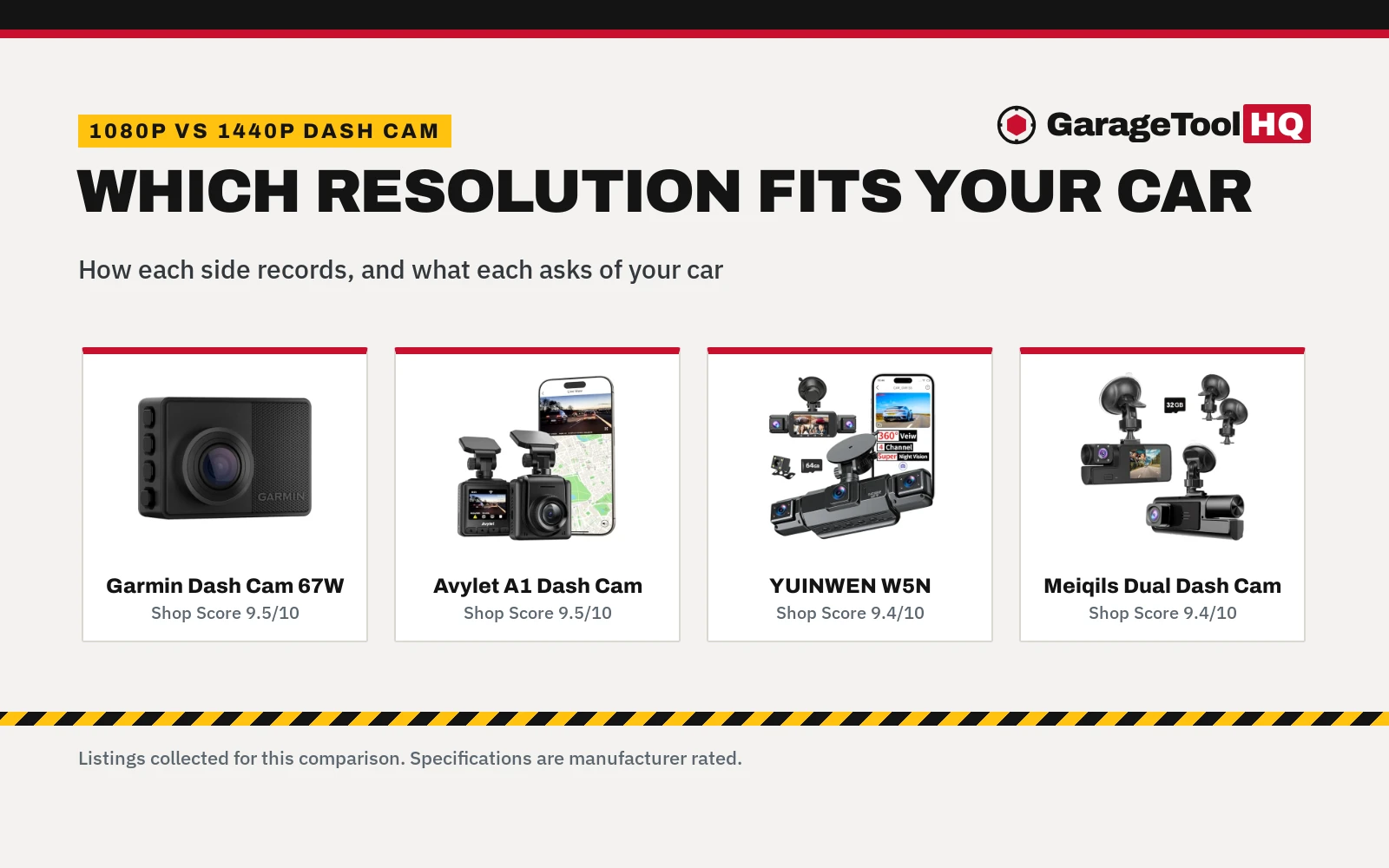
Top picks at a glance
As an Amazon Associate I earn from qualifying purchases.
- 1
 Garmin Dash Cam 67W, 1440p and Extra-Wide9.5/10View on Amazon
- 2
 Avylet 2K Dash Cam 1440P, 1.5'' IPS Screen9.5/10View on Amazon
- 3
 4 Channel 360° Dash Cam, 2K Front + 1080P9.4/10View on Amazon
- 4
 1080P Dual Dash Camera for Car Front and Inside9.4/10View on Amazon
Verdict: Choose a 1080p dash cam for cabin or side coverage as well as the road ahead. Choose a 1440p dash cam if the road ahead is the whole job.
A parking lot bump, a close call on the way home, a question about what really happened at an intersection: a dash camera earns its place when the story needs more than memory. This comparison covers the 1080p vs 1440p dash cam choice, with listings as concrete examples.
GarageToolHQ earns a commission when you buy through links on this page, at no extra cost to you. Read our affiliate disclosure.
Example dash cams
Garmin Dash Cam 67W, 1440p and Extra-Wide
A pocket-sized 1440p dash camera with a 180-degree lens, voice control, GPS and driver alerts.
Pros
- 1440p HD video with Clarity HDR optics
- Extra-wide 180-degree lens captures more of the environment
- Voice control saves video, controls audio recording and takes still pictures
- Parking Guard, Live View and Vault uploads over WiFi
Cons
- Front camera only, with no rear, side or interior channel stated
- Voice control only available in English, German, French, Spanish, Italian and Swedish
- Parking Guard and Live View require WiFi, and Live View requires constant power
- Red light and speed camera warnings are not available in all regions
Avylet 2K Dash Cam 1440P, 1.5'' IPS Screen
A compact 1440P front dash camera with a 1.5-inch IPS screen, a 170° lens and WiFi app control.
Pros
- 1440P (2560×1440) resolution for license plates, road signs and traffic details
- 170° ultra-wide lens, F1.6 aperture, 6 glass lens
- WiFi app control with no subscription required and over-the-air updates
- 24 Hours Parking Monitor with time-lapse mode and a G-sensor
Cons
- Memory card not included; supports up to 128GB
- External GPS module optional and not included
- Hardwire kit required for parking mode
- Front camera only, with no rear, side or interior channel stated
4 Channel 360° Dash Cam, 2K Front + 1080P
A 4-channel system with a 2K front channel and 1080P rear, side and interior channels, app control and a 64GB card included.
Pros
- 4-channel coverage: 2K front plus 1080P rear, side and interior channels
- 170° ultra-wide front lens for plates at extreme turning angles
- 64GB card included, with support up to 256GB
- Supercapacitor for startup in extreme heat up to 158°F, plus 8 infrared LEDs and WDR
Cons
- Screen listed as 3-inch IPS in a bullet and 3.16-inch IPS in another
- WiFi listed as 5GHz in the title and 5.8GHz in the bullets
- Hardwire kit required for parking mode
1080P Dual Dash Camera for Car Front and Inside
A dual 1080P front and inside dash camera with a 170° wide angle, WDR, a G-sensor and a 32G card included.
Pros
- 1080P front and inside recording at the same time, with 1920*1080P pictures
- 170° wide angle
- G-sensor locks video on a sudden shake or collision
- 32G card included, with loop recording and night vision
Cons
- No rear or side channel stated
- No WiFi or app control stated
- No parking mode stated
- Maximum card size not stated beyond the included 32G card
Other tools worth a look
 IIWEY N5 4 Channel Dash Cam for CarsCheck price on Amazon
 Dash Cam Front Camera for CarsCheck price on Amazon
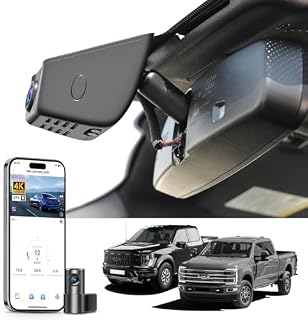 Mangoal Front 4K Rear 1080P Dash Cam for F150 2018-2026Check price on Amazon
 VIOFO VS1 Mini Dash CamCheck price on Amazon
 VIOFO A119 V3 2K Dash Cam 2560x1440P Quad HD+ Car Dash CameraCheck price on Amazon
 Dash Cam 1080P FHD Front Dash Camera for CarsCheck price on Amazon
Side by side
| 1080p dash cam | 1440p dash cam | What the listings show | |
|---|---|---|---|
| Front resolution | 1080P (Meiqils) | 1440P (both) | YUINWEN front is 2K |
| Channels | Front and inside, or four | Front camera only | YUINWEN covers four channels |
| Widest view stated | 170° on both | 180-degree (Garmin) | Avylet lists 170° |
| Night vision | Night sensor; 8 LEDs and WDR | WDR; Clarity HDR optics | Avylet also lists F1.6 |
| Parking watch | 24H (YUINWEN) | Parking Guard; parking monitor | Hardwire kit required (YUINWEN, Avylet) |
| Memory card | 64GB and 32G included | Included; not included (Avylet) | Avylet up to 128GB; YUINWEN up to 256GB |
| App and WiFi | App control (YUINWEN) | WiFi and app control | Garmin uploads to Vault |
| Driver alerts | Not stated | Forward collision, lane departure, speed camera warnings | Garmin example only |
Every rating comes from the brand’s listing and is not a shop test (gathered 3 November 2026).
1080p vs 1440p dash cam: what actually changes
Resolution sets how much detail each frame holds. The Meiqils example lists Super Clear 1920*1080P pictures for its front and inside views. The Avylet example lists 1440P (2560×1440) resolution for its front view, and describes it as capturing license plates, road signs and traffic details clearly. The Garmin example lists 1440p HD video with Garmin Clarity HDR optics.
A wrinkle sits on the 1080p side. The YUINWEN example lists a 2K front channel, with 1080P on the rear, side and interior channels, so its front image does not match the side label. The side labels still work for coverage: the 1080p side is where cabin and side coverage lives, while the 1440p examples cover the front view only.
Field of view and night vision
Field of view decides how much of the scene lands in frame. The Meiqils example lists a 170° wide angle. The YUINWEN example lists a 170° ultra-wide front lens. The Avylet example lists a 170° ultra-wide lens. The Garmin example lists an extra-wide 180-degree lens, the widest view stated here.
Night vision differs by listing. The YUINWEN example pairs 8 infrared LEDs with WDR for night footage. The Meiqils example lists a night vision sensor. The Avylet example pairs a large F1.6 aperture and 6 glass lens with WDR for low-light conditions. The Garmin example lists Garmin Clarity HDR optics.
Parking watch and connected features
Parking watch is where the listings split most clearly. The YUINWEN example lists 24H parking mode with motion detection and a G-sensor, and notes that a hardwire kit is required. The Avylet example lists 24 Hours Parking Monitor with time-lapse parking mode and a G-sensor, and also notes that a hardwire kit is required. The Garmin example lists Parking Guard and Live View monitoring, with both features requiring a WiFi connection. The Meiqils example states no parking mode.
Phone control follows a similar split. The YUINWEN example lists app control from a phone. The Avylet example lists WiFi app control with no subscription required, plus over-the-air updates. The Garmin example lists WiFi uploads to the Vault and remote Live View through the Garmin Drive app. The Meiqils example states no WiFi or app control.
Choose a 1080p if
- You want cabin or side coverage too
- You want a card included
- You want the Meiqils example’s simple plug-in installation
- You want parking watch with a hardwire kit (YUINWEN example)
Choose a 1440p if
- Front detail matters most
- You want driver alerts (Garmin example)
- You want over-the-air updates (Avylet example)
- You want remote viewing of a parked vehicle (Garmin example)
For more choices, see the best dash cam for a car.
Read the manual before first use, wear eye protection, keep the work area clear and ventilated, and stay within every stated rating. Read our Safety Disclaimer.
Garage Fit Check
- Mounting space: the Avylet example fits behind the rearview mirror, and the Garmin example is pocket-sized.
- Power: the YUINWEN and Avylet examples both require a hardwire kit for parking mode.
- Storage: the Avylet example ships without a card and supports up to 128GB.
- Before the drive: remove the lens protective film on the Avylet example, and clean the windshield on the Meiqils example so the suction cup holds tight.
- Local rules: the Garmin listing notes that some jurisdictions regulate or prohibit use of the device.
FAQ: garage tools
Is a 1080p or 1440p dash cam better for reading license plates?
Both sides claim clear plates. The YUINWEN example describes its 170° front lens as capturing clear license plates. The Avylet example describes 1440P (2560×1440) resolution as capturing plates, signs and traffic details clearly.
What do I need for parking mode on these examples?
The YUINWEN example requires a hardwire kit for parking mode, and so does the Avylet example. The Garmin example requires WiFi for Parking Guard and constant power plus WiFi for Live View. The Meiqils example states no parking mode.
Do these dash cams include a memory card?
The YUINWEN example includes a 64GB card and supports up to 256GB. The Meiqils example includes a 32G card. The Garmin example includes a memory card, size not stated. The Avylet example does not include a card and supports up to 128GB.
Can I control these dash cams from a phone?
The YUINWEN example lists app control for iOS and Android. The Avylet example lists WiFi app control with no subscription required. The Garmin example lists the Garmin Drive app for Live View and Vault uploads. The Meiqils example states no app control.
Related: the best dash cam for rideshare drivers, the best interior and exterior dash cam, the 1440p vs 4k dash cam comparison and the dash cams hub.